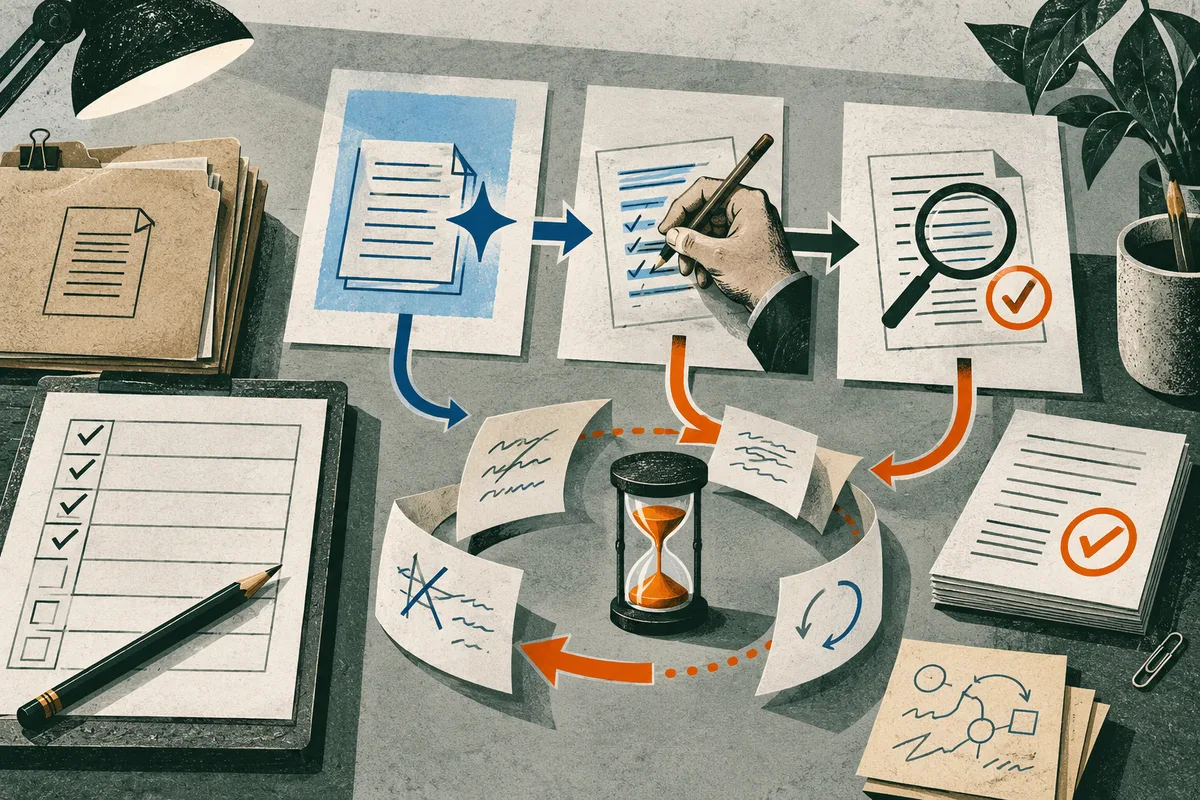
Compare similar instances of one recurring task from the same start to the same accepted finish. Count active preparation, prompting, review, correction and observed rework; record setup separately. Hold the acceptance standard steady and report quality apart from time. Keep the workflow if it repeatedly meets that standard with less effort under usable conditions; otherwise revise and retest or stop. The result applies only to the task and conditions tested.
How can I tell whether AI saved time on this task?
To find out whether AI saved time, compare similar instances of one recurring task from the same start to the same accepted finish. Count active effort on both routes: preparation, prompting, review, correction, and later rework caused by the output. Record unattended waiting separately; a faster first draft is not, by itself, less human work. Keep one-time setup visible as a batch cost rather than spreading it across assumed future work. Set the acceptance standard before comparing. Report whether each result passed and note meaningful errors separately from minutes. A quicker task that fails a required check has not reached the same finish. The NIST Generative AI Profile cautions that benchmark evaluations may not carry over to real-world contexts, so the comparison should reflect your workflow. The randomized writing experiment in Noy and Zhang’s working paper is context for a bounded writing task, not a forecast for yours. Keep the workflow if it repeatedly meets the same standard with less total active effort under usable conditions. Revise one step and retest when results vary; stop if review, rework, or errors erase the gain. The finding applies to this task and tested conditions, not your occupation or job security.
Sources: Experimental Evidence on the Productivity Effects of Generative Artificial Intelligence; Artificial Intelligence Risk Management Framework: Generative Artificial Intelligence Profile
Where should you draw the task boundary?
Choose one recurring deliverable with a recognizable start, an existing acceptance standard, and an observable ready point. For example, prepare a weekly status summary from a defined set of project notes. “Communicating project status” is too broad: it can include gathering updates, resolving disagreements, presenting decisions, and following up, with different inputs and checks. The summary itself is narrow enough to compare, but it ends only when it has passed the review normally required before use. Write down what enters the task, what leaves it, and who decides that the result is usable. For a summary, inputs could be the same class of meeting notes and the output the same format sent to the same audience. The finish might be when the responsible reviewer accepts it for circulation, not when a draft first appears. Keep the ordinary review path inside the boundary; otherwise, the assisted route could look faster because unfinished work has been handed to someone else. If the standard is informal, make its practical checks explicit before comparing cases. Include later correction when it can be traced to the output. If a recipient flags a missing decision and the writer amends the summary, that correction belongs to the task even after handoff. Leave out separate work that would happen either way. This keeps the test manageable without letting a fast first draft stand in for finished work. Distinguish active effort from elapsed time. Reading notes, entering context, checking a draft, and correcting it are active work. A tool processing a request while the person handles another task creates waiting time, which may affect scheduling but is not automatically labor saved. Record it separately if turnaround matters. Use the same boundary for assisted and unaided instances, and do not change it after seeing which route appears favorable. Before entering work material, check the rules that govern the data and tool, including workplace policy and required approval. NIST’s *Artificial Intelligence Risk Management Framework: Generative Artificial Intelligence Profile* treats risk as dependent on the particular use case and context, supporting scoped evaluation rather than assuming a result transfers unchanged between settings. A comparison can inform this deliverable under tested conditions; it cannot establish that an entire role is automated, adopted across an organization, or likely to disappear.
Sources: How to Measure Whether AI Tools Actually Save Your Team Time; Artificial Intelligence Risk Management Framework: Generative Artificial Intelligence Profile
What should count as time, including setup and rework?
Count active human effort on both routes to an accepted result, and show one-time setup separately from recurring per-instance work. A quick first draft is only one stage. The comparison follows the task to a usable or approved output, including later corrections caused by it. Use one row for each task instance. Record the condition (AI-assisted or unaided), preparation, context entry or prompting, active supervision, review, correction, and any handoff or downstream rework. Add the active minutes across those stages for a total. Include coworker effort only when it is part of the workflow and observable; otherwise note the review step without guessing at minutes. The practical guide “How to Measure Whether AI Tools Actually Save Your Team Time” makes the same useful boundary point: compare equivalent work through usable output and include prompting, review, editing, and rework. Keep elapsed time in a separate column when it matters. A task that waits ten minutes for a response but requires only brief attention has a different scheduling footprint from ten minutes of active checking. Do not add unattended waiting to active labor, and do not let a shorter elapsed time stand in for fewer human minutes. Similarly, avoid double-counting: if a correction is already included in the review interval, do not add it again as a separate correction entry. Record one-time setup, initial learning, and maintenance as batch costs, apart from recurring work on each instance. The pilot-batch total should show what the trial actually required, including setup. Also report the later per-instance effort with recurring prompting, checking, and correction included. This shows both the initial cost and the recurring effort observed. Do not hide setup by spreading it across a forecast volume that has not happened. If the task recurs often, actual frequency can help a team decide whether the observed setup burden is worth revisiting, but it does not prove future savings. A simple comparison can state the observed difference in active minutes between the two routes, while keeping acceptance and error notes beside it. Do not convert a quality failure into a made-up number of “lost minutes” unless the resulting downstream work was actually observed and timed. A miss can matter without extra timed correction; record its seriousness as quality, not invented minutes. METR’s “Uplift Update” describes how participant and task selection, changing task choices, and unreliable time measures for some concurrent multi-agent use complicated interpretation of its developer experiment. Use it as a reminder to state what was counted, not as a benchmark. The useful result is whether effort was removed, shifted to another reviewer, or front-loaded into setup under the tested conditions.
Sources: How to Measure Whether AI Tools Actually Save Your Team Time; We are Changing our Developer Productivity Experiment Design
How can you make a small comparison fair enough to use?
A fair small test begins with an assignment rule, not convenient examples chosen after the result is visible. Define what makes instances comparable: the same deliverable, similar input type, and roughly similar difficulty. If requests arrive over time and either route is appropriate, assign each incoming instance by a pre-set rule, such as alternating AI and unaided cases. Record the rule before starting, including any exceptions. Give yourself a short practice period with the tool before logging results. This separates initial learning from ordinary use, but do not erase that learning cost: record it as setup time and report it alongside recurring effort. Then hold inputs and the acceptance standard steady where practical. If the AI route receives a cleaned-up prompt or extra context, note the difference. When random assignment is impractical, pair cases by type and difficulty. Compare two routine requests with similar source material, one handled with the tool and one without it, and note why they are a pair. Do not force a match when an unusual case has no counterpart; mark it as an exception. Record major workload changes, such as a rush of complex requests. Keep a brief log of dates, task type, assigned condition, tool or model version, prompt changes, your experience level, active effort, and whether the result met the same acceptance bar. Your familiarity can change too: a template learned with AI may make later unaided work faster, while an AI suggestion may affect how you approach the next case. This carryover is hard to remove in ordinary work, so note it and avoid treating the routes as fully independent. METR’s “We are Changing our Developer Productivity Experiment Design” describes related problems in a study of experienced open-source developers: participants declined tasks they did not want to do without AI, task selection shifted toward work suited to the tools, and some found time reporting difficult when agents ran while they did other work. These observations do not prescribe a personal test, but show why case selection and “time spent” need attention. In the earlier randomized trial, “Measuring the Impact of Early-2025 AI on Experienced Open-Source Developer Productivity,” 16 developers completed 246 tasks in mature projects; AI-allowed tasks took 19% longer in that setting. Its small, selected sample and specific projects do not forecast another worker’s result. Use enough ordinary instances to see whether a result repeats across the work you actually receive. There is no universal case count that makes a personal comparison representative. If results vary, separate routine and exception cases or extend observation. The goal is a repeatable local decision, not a population estimate.
Sources: We are Changing our Developer Productivity Experiment Design; Measuring the Impact of Early-2025 AI on Experienced Open-Source Developer Productivity
What counts as a valid finish, not just a fast draft?
A draft is not a time saving if it fails the standard that makes the work usable. Before comparing an AI-assisted route with an unaided one, write down the minimum acceptable result and the errors that would make it unacceptable. Apply that same bar to both routes. Keep quality and time as separate findings: first ask whether each output passes, then compare the active effort required to reach an accepted finish. A failed output is not a completed task merely because it arrived sooner. Use a short checklist or the review rubric already used for the task. Make its items observable: required facts or fields are present, calculations reconcile, references are valid, format meets the brief, and required approval is obtained. Record pass or fail for each instance, along with corrections, rework and defect type. A minor wording edit differs from an incorrect figure, unsupported claim, restricted-information disclosure, safety issue, or error that could mislead a customer. Do not collapse these into one quality score unless accountable reviewers have agreed how those outcomes should be valued. This matters because output can shift review effort instead of removing it. The U.S. National Institute of Standards and Technology’s *Artificial Intelligence Risk Management Framework: Generative Artificial Intelligence Profile* explains that benchmark and laboratory tests may not reflect deployment conditions, and prompt sensitivity and varied contexts can widen the gap. Organizational use may call for additional human review, tracking and documentation. This is guidance, not a finding that every task needs identical review or that a particular tool will make errors. Apply this by checking the deliverable in context and counting normal review work. For consequential work, set a stop condition in advance: if an output misses a mandatory check or crosses the unacceptable-error threshold, a lower average time does not overrule that result. A polished draft with a wrong figure still needs correction and verification before use. Record the correction effort and failure separately; do not invent a time penalty for possible harm that was not observed. Use only inputs authorized for the tool and test; do not send prohibited or sensitive records to an external service. The developer-task trial *Measuring the Impact of Early-2025 AI on Experienced Open-Source Developer Productivity* shows why measured completion matters: in a randomized trial of 16 experienced developers across 246 tasks in mature projects, allowing early-2025 tools increased completion time by 19%. This specific sample does not predict another workflow, but illustrates why assumed speed gains need measurement. Keep the assisted route only when it meets the predeclared quality bar with lower measured effort. Otherwise revise and retest, or stop using it for this task for now.
Sources: Artificial Intelligence Risk Management Framework: Generative Artificial Intelligence Profile; How to Measure Whether AI Tools Actually Save Your Team Time; Measuring the Impact of Early-2025 AI on Experienced Open-Source Developer Productivity
What do published studies measure—and what do they leave out?
Published studies show that AI effects vary with task and setting; none answers whether it saves time on your task unless workflow, quality bar, and review path closely match. Their value is comparative: they show what researchers counted and why a local test should follow work through acceptance. Results from unlike jobs should not be averaged into a personal forecast. In “Experimental Evidence on the Productivity Effects of Generative Artificial Intelligence,” a preregistered online experiment randomly gave ChatGPT access to half of 444 college-educated professionals completing short, occupation-specific writing tasks. The paper reports that the tool reduced time by 0.8 standard deviations and increased blind-rated quality by 0.4 standard deviations. Assignments lasted 20 to 30 minutes and included reports and emails; evaluators from the same occupations rated submitted work. This supports improved performance on bounded writing tasks under the study’s conditions. It does not count later workplace corrections or establish what happens when a deliverable depends on local records, approvals, or recurring review. The paper identifies itself as a working paper, not peer reviewed. “Generative AI at Work,” a Stanford working-paper record, describes a staggered introduction of an AI support assistant among 5,179 customer-support agents. It reports 14% more issues resolved per hour on average, with a 34% improvement for novice and lower-skilled agents and minimal impact among experienced and highly skilled agents. That is throughput in one support operation, not a direct measure of each agent’s effort through correction. The difference by experience cautions against assuming one task’s result applies equally to every worker. A randomized trial in “Measuring the Impact of Early-2025 AI on Experienced Open-Source Developer Productivity” points the other way. Sixteen experienced developers completed 246 tasks in mature projects where they averaged five years of prior experience; allowing early-2025 AI tools increased completion time by 19%. Participants had expected and later estimated a reduction. This is counterevidence to universal speed claims, but its small, selected group, project context, and tool period do not predict other occupations or today’s tools. “Shifting Work Patterns with Generative AI” followed 6,000 knowledge workers in a six-month randomized field experiment. Half received access to an AI tool integrated into familiar applications. The summary reports that users spent three fewer hours, or 25% less time, on email weekly; the intent-to-treat estimate was 1.4 hours. Meeting time did not significantly change. This measures workplace behavior, not the active effort and accepted quality of one matched task. Together, these findings suggest a practical hypothesis, not a proven rule: tasks with predictable inputs and inexpensive checks may be easier to evaluate for time savings. When context is scattered or verification is demanding, a quick draft may shift work into review. METR’s “We are Changing our Developer Productivity Experiment Design” illustrates measurement problems: its later developer study faced participant and task selection, changing task choices, quality differences, and unreliable time reports when people worked on other tasks while agents ran. Those limits make its later estimate weak evidence of a general effect’s size; they do not erase the earlier randomized result. These studies measure task performance or work behavior, not employer adoption across a market, labor demand, or whether a role will disappear. Capability, observed use, adoption, and displacement are separate questions. Use external findings to choose what to test. Your repeated comparison from the same start to the same accepted finish remains the relevant evidence for your workflow under recorded conditions.
Sources: Experimental Evidence on the Productivity Effects of Generative Artificial Intelligence; Generative AI at Work; Measuring the Impact of Early-2025 AI on Experienced Open-Source Developer Productivity; We are Changing our Developer Productivity Experiment Design; Shifting Work Patterns with Generative AI
How should you interpret a mixed result?
A mixed result is a reason to make a narrower decision, not compress time and quality into one productivity score. Keep the workflow when it reduces active effort across comparable cases and meets the acceptance bar set before the test. Revise and retest when the gain appears limited to a recognizable case type or a fixable step, such as missing context, drives review. Stop for now when the assisted route fails a required check, creates unacceptable errors, or shifts so much work to review that the task is no longer easier. This rule applies only to the workflow and conditions tested; it does not describe AI's value across a role.
Ask whether an average is hiding two tasks. If routine cases take less effort but exceptions need extensive correction, do not let routine cases wash out exceptions. Check whether cases can be identified before using the tool. If so, a limited route for routine work may be worth retesting while exceptions stay on the established path with review. If they cannot be separated reliably, the split may add triage or misroute a difficult case. Refine the task boundary or keep a consistent process until the distinction is workable. Treat inconsistency as a clue about where the workflow changes, not noise to average away.
Then separate a one-time pilot burden from recurring effort. If setup, prompt development, or learning takes much of the initial time, record it as a batch cost and compare it with observed recurring effort at the task's actual frequency. Do not promise a payback date based on future volume the test has not established. Frequent use may justify another trial after setup; occasional use may not. There is no universal threshold because tasks differ in stakes, frequency, and the cost of keeping a tool ready.
Quality remains a separate gate even when time improves. If a faster output has a serious defect, apply the acceptance or risk threshold declared before the comparison. Do not turn a possible error into invented minutes or let many harmless passes cancel a failure the task rules out. The National Institute of Standards and Technology's Generative Artificial Intelligence Profile emphasizes that evaluation depends on context and pre-deployment results may not carry into use. That supports checking the actual deliverable and safeguards; it does not prescribe a personal test or a particular review amount.
Finally, locate shifted work. If your active minutes fall while a colleague spends additional time checking or correcting, describe both parts. Ask whether the review is new effort or replaces an existing check, and count it when observable. METR's 2026 update on its developer-productivity experiment describes selection and time-measurement problems. This shows recorded time can miss who did the work or which tasks were chosen, but does not show the same problem occurred in your trial. Decide to keep, revise and retest, or stop from the separate time and quality evidence. No universal percentage or minimum case count settles every task.
Sources: Artificial Intelligence Risk Management Framework: Generative Artificial Intelligence Profile; We are Changing our Developer Productivity Experiment Design
What should you record before changing the workflow?
A useful result is short enough to share and specific enough to show what was compared. Record the task boundary, period, tool and version, assignment method, active effort on each route, acceptance or rework outcome, and limits on the conclusion. Keep individual observations where policy permits; averages can conceal outliers. “How to Measure Whether AI Tools Actually Save Your Team Time” recommends reporting the task population, sample, tool and version, period, comparison method, time results, and quality or rework findings. Use a row for each instance rather than relying on memory. A log can include an anonymous case label, date, task type, condition, active minutes, acceptance, observed rework, and exceptions. Record setup and practice separately from recurring effort. If another person reviews output, state whose effort is counted and whether that review is normally required or added for the trial. Avoid confidential content when an anonymous label will answer the question. A reusable summary can stay plain: “For [defined task] during [period], [number] comparable instances assigned by [method] took [observed active effort] with AI and [observed active effort] without AI. Under [same acceptance checks], [acceptance, correction, and observed rework finding]. One-time setup and practice took [recorded effort], shown separately. This result applies to [tested conditions]; it does not establish [unmeasured outcome].” Leave every bracket as a placeholder until observations exist. If the sample was small, task mix uneven, or tool changed during the period, say so instead of implying precision the record cannot support. Report time and quality separately. State whether effort was lower alongside how many outputs met the agreed bar and any material corrections; do not collapse them into a “productivity score.” NIST’s “Artificial Intelligence Risk Management Framework: Generative Artificial Intelligence Profile” describes evaluation as context-dependent and warns that benchmark or pre-deployment results may not transfer cleanly to real settings. This supports documenting tested context and limits; it does not prescribe this personal log or certify its result. It concerns task-level change under recorded conditions, not employer-wide adoption, labor demand, or likelihood that a job will disappear. Before using the record at work, ask the relevant manager or workflow owner to review the task definition, data boundary, acceptance checks, and who will see results. Agreeing these points early can prevent disagreement about whether the comparison included the path to usable work. The record lets a colleague inspect what was measured, what passed, where extra effort appeared, and what remains unknown. It supports a bounded workflow choice, not a promise that the result applies elsewhere. Retain enough row-level detail to explain exceptions, while following workplace rules for access and storage.
Sources: How to Measure Whether AI Tools Actually Save Your Team Time; Artificial Intelligence Risk Management Framework: Generative Artificial Intelligence Profile
What is the next practical move?
Choose one recurring task you are allowed to test, then define its accepted finish before using AI. Pick work that occurs often enough to compare similar instances; write down the required checks, who accepts the result, and which information may be used. Resolve workplace rules or data permissions first. If others own quality review, agree what counts as a pass and who will record corrections. Record the unaided and assisted routes through that same finish. Count active preparation, prompting, review, correction, and observed rework. Keep one-time setup separate so it remains visible in the pilot total without being mistaken for recurring effort. Note acceptance and error severity beside time, rather than blending them into one score. After a few representative cases, ask whether the assisted route met the same bar with less total effort. If cases vary too much to interpret, narrow the task or observe more. Keep the workflow if time and quality support it; revise one feature and retest if results depend on case type; stop if review cost or a failed quality requirement defeats the purpose. The NIST Generative AI Profile cautions that evaluation results may not carry from laboratory or benchmark settings into real contexts. A small comparison informs this workflow under these conditions; it does not establish organization-wide productivity or job outcomes. To place this task beside your other work, the free task checker offers task-level change-pressure signals and first actions, not a validated probability of displacement.
Sources: Artificial Intelligence Risk Management Framework: Generative Artificial Intelligence Profile
Questions readers ask
How many task instances should I compare?
There is no universal case count for a personal workflow comparison. Use enough representative instances to see whether the result repeats across the work you actually receive; if cases vary too much, narrow the task or observe more.
Should I count AI processing or waiting time as time saved?
Keep unattended waiting separate from active human effort. Waiting may affect turnaround or scheduling, but it is not automatically labor saved. Count active preparation, prompting, supervision, review, correction and observed rework.
Sources and notes
- Experimental Evidence on the Productivity Effects of Generative Artificial Intelligence
Supports the bounded writing-task comparison: the working paper reports time and blind-rated quality effects for 444 college-educated professionals, but does not establish end-to-end results for other workflows.
- Generative AI at Work
Supports the customer-support field-study comparison: the publisher record reports issues resolved per hour and differences by agent experience, not individual active effort through downstream correction.
- Measuring the Impact of Early-2025 AI on Experienced Open-Source Developer Productivity
Supports task-specific counterevidence: the randomized trial reports longer completion time for experienced developers on selected mature-project tasks, not a forecast for other workflows.
- We are Changing our Developer Productivity Experiment Design
Supports cautions about selection, changing task choices and time measurement in METR's developer experiment; it does not establish effects for other kinds of work.
- Shifting Work Patterns with Generative AI
Supports the distinction between a workplace access experiment and a matched-task test: its summary reports email and meeting outcomes over six months.
- Artificial Intelligence Risk Management Framework: Generative Artificial Intelligence Profile
Supports context-specific evaluation and oversight: the profile cautions that benchmark or pre-deployment results may not transfer to real-world settings.
- How to Measure Whether AI Tools Actually Save Your Team Time
Supports the existing practical guidance to compare equivalent tasks through usable output and count prompting, review, editing and rework; the article develops further decision details.
Apply this to your own work
See the whole job market at once.
Explore which occupations AI may reshape, then turn the signal into a practical response.
Explore the job map